Platform Teams Pay Most for Tools Engineers Silently Abandon
When a mid-sized SaaS company spent $300,000 on an internal developer portal, the platform team celebrated. The vendor promised a 40% productivity boost, a single pane of glass for deployments, monitoring, and environment management. Six months later, only 12% of engineers had logged in more than twice. The rest kept using CLI scripts, Slack bots, and a handful of git hooks. The platform team owned a license nobody used, and the CFO wanted answers.
This story repeats across the industry. Tool abandonment is a quiet drain on platform engineering budgets. The tools that get built or bought with the best intentions often end up as digital dust collectors. Understanding why—and what to do about it—is critical for any team tasked with improving developer experience.
The $300K Portal Nobody Uses
The portal in question had all the right features: service catalog, CI/CD integration, environment provisioning, and a dashboard for deployment frequency. The vendor's sales deck cited case studies from well-known tech firms. The platform team ran a two-week pilot with a handful of early adopters who loved it. The internal launch included a company-wide email, a Slack announcement, and a demo day with pizza.
Yet within a quarter, usage flatlined. The portal required a browser tab, a login, and a few clicks to do what a one-line terminal command could accomplish. Engineers who lived in the command line found the portal slow and cluttered. The portal's API was incomplete, so advanced users couldn't script around it. The team that built integrations moved on to other projects, leaving connectors brittle.
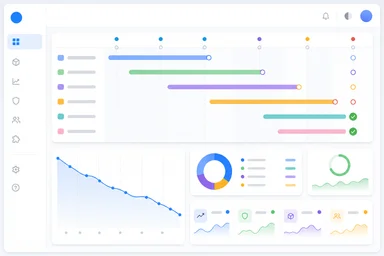
The license was priced per-seat, with a minimum commitment. The platform team had bought 200 seats, but only 24 showed any activity. The vendor offered a usage report that counted any login as active, inflating the number. The real story was in the drop-off after the first week: most users never returned.
This is not an isolated incident. A 2024 survey by a developer experience firm found that roughly 40% of internal tools fail to reach 30% active adoption within six months. The cost of these abandoned tools—licenses, integration work, training, and opportunity cost—can run into seven figures for larger organizations.
Why Engineers Vote with Their Keyboards
The disconnect often starts with who the tool is designed for. Many internal developer portals are built to satisfy management's need for visibility: dashboards, metrics, and audit trails. Engineers, by contrast, want speed, low friction, and minimal context-switching. A tool that requires leaving the terminal, opening a browser, and clicking through three screens to restart a service will feel like punishment.
Developers have already built muscle memory around git, CI pipelines, and local scripts. Asking them to learn a new UI with different terminology and workflows increases cognitive load. A platform engineer might see a portal as a unified interface; a developer sees an extra step. Small friction points—slow load times, login prompts, missing keyboard shortcuts—compound into daily resentment.
There is also a trust issue. Engineers have been burned before by tools that promised the world and delivered a half-baked integration. A team that has been forced to migrate from one internal tool to another three times in two years will be skeptical of the next big thing. They will quietly stick with what works, even if it's a set of shell scripts passed down through the team.
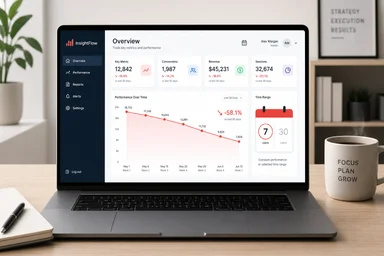
Adoption metrics that count logins or page views miss this reality. A developer might open a portal once to check a dashboard, then never return. The metric that matters is whether the tool becomes part of the daily workflow—whether it replaces an existing habit. If it doesn't, it's dead.
The Hidden Tax of Tool Sprawl
Tool abandonment doesn't just waste the initial investment; it creates a long-term tax on the platform team. Every abandoned tool leaves behind integration code, API keys, configuration files, and documentation that must be maintained or cleaned up. The average mid-size firm runs over 120 SaaS tools, many of which are used by only a handful of people. Platform teams maintain 15 to 25 connectors between these tools, each a potential point of failure.
When a tool is abandoned but not decommissioned, it continues to consume resources. Security teams must review it during audits. IT must patch it. The platform team fields occasional support tickets from someone who found an old wiki page and tried to use it. Over time, the cost of maintaining a zombie tool can exceed the original license fee.
Budget is drained by unused seat licenses that nobody remembers to cancel. In one case, a company was paying for 50 seats of a monitoring tool that only three engineers ever used. The license had auto-renewed for three years before someone noticed. The total waste was over $150,000—money that could have funded a tool the team actually wanted.
Tool sprawl also slows down onboarding. New hires are handed a list of 30 tools to learn, half of which are either deprecated or unused. They waste weeks figuring out which ones matter. A platform team that regularly audits and removes dead weight can reduce this friction significantly, as discussed in this related article.
Why Buy When You Can Build (and Abandon)?
The build-versus-buy debate is a false dichotomy when both paths lead to abandonment. Not-Invented-Here syndrome drives platform teams to build custom deployment pipelines, CI systems, and monitoring dashboards. These homegrown tools often start as a quick script that grows into a monolith. They work well for the original team but become unmaintainable when that team rotates.
Documentation rots faster than code. A custom tool built by a now-departed engineer may have no README, no tests, and a single entry point known only to a Slack thread from 2022. New platform engineers are afraid to touch it, so it lingers. Meanwhile, commercial tools that were rejected for being "too expensive" or "not flexible enough" might have evolved into something better—but the organization has already locked itself into the custom solution.
The sunk cost fallacy keeps these tools alive. Teams that spent months building something are reluctant to admit it was a mistake. They continue to invest in features nobody asked for, hoping to justify the original effort. The result is a codebase that drains maintenance time without delivering proportional value.
There is a middle ground: buy a tool that is extensible via plugins or APIs, and only build the thin integration layer needed to fit existing workflows. But even that approach requires discipline. A platform team that cannot say no to feature requests will end up with a Frankenstein system that no one wants to use.
The Onboarding Mirage
New hires are often promised a unified platform experience during the interview process. The reality is different. On day one, they receive six separate logins, an out-of-date internal wiki, and a set of instructions that assume prior knowledge. The platform team's portal is supposed to solve this, but if it's not adopted by existing engineers, it won't be adopted by newcomers either.
Shadow IT fills the gaps. Teams adopt unsanctioned tools—Slack bots, Notion databases, Google Sheets—to track deployments, environments, and incidents. These tools are not integrated with the platform, so information is duplicated. The platform team gets blamed for the friction they didn't cause, while the shadow tools grow in importance.
One engineering director told me that his team had four different ways to trigger a deployment: a Jenkins job, a GitHub Action, a custom CLI tool, and a button in the portal. Each had a different set of permissions and failure modes. New hires learned one and stuck with it, creating a fragmented culture where no one agreed on the canonical process.
The platform team's goal should be to reduce the number of paths, not add another one. But without trust and adoption, the portal becomes just another entry in the list. The solution is not to build a better portal; it's to understand why engineers are avoiding the existing one.
Three Signals Your Tool Is Doomed
There are early warning signs that a tool is heading toward abandonment. The first is the nature of support tickets. If the majority of tickets ask for basic features—like search, export, or integration with a popular tool—the product is not meeting core needs. Users who care enough to file tickets are the minority; the rest have already left.
The second signal is a drop in monthly active users below 30% of licensed seats. Some tools naturally have periodic users—a deployment dashboard may only be used during releases—but a steady decline is a red flag. If no one is logging in for routine tasks, the tool is not part of the workflow.
The third signal is the emergence of public workarounds. When developers start sharing scripts or Slack commands that bypass the tool, they are voting with their keyboards. A shared gist titled "deploy without the portal" is a clear sign that the portal is not adding value. As noted in a previous piece on developer distraction, these workarounds also increase cognitive load and reduce consistency.
If a tool has all three signals, it's time to consider retirement. Keeping it alive out of hope or inertia only wastes more resources.
Kill Your Darlings: A Sunsetting Playbook
Retiring a tool is not failure; it's good stewardship. The first step is to audit usage every quarter against license cost. Compare active users, feature usage, and support tickets. If the tool is not delivering value, start a conversation about sunsetting it.
Survey engineers directly about pain points. Ask what they would change, but also ask what they would replace the tool with. Sometimes the answer is "nothing"—they already have a workaround. That's a strong signal to retire the tool and redirect budget elsewhere.
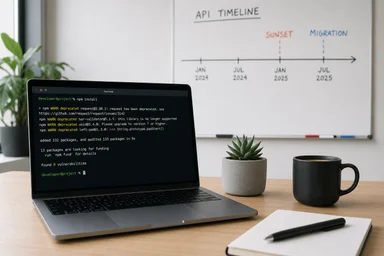
Set a 90-day migration window. Announce the retirement, provide clear instructions for exporting data, and offer support for teams that need to switch. After the window closes, remove access and delete the integration code. This forces teams to adapt and prevents the tool from lingering as a zombie.
Celebrate the removal. Send a Slack message: "We saved $X per year by retiring Tool Y. Your feedback helped us make this decision." This builds trust and encourages future honesty. The savings should be reinvested into one well-loved tool that engineers actually use. As the team at a company that cuts features instead of adding them found, subtraction often improves velocity more than addition.
The goal is not to have zero abandoned tools—that's unrealistic. The goal is to recognize abandonment early, cut losses, and reinvest in tools that earn their keep. Platform teams that master this cycle will save money, reduce friction, and earn the trust of the engineers they serve.
The Cost of Ignoring the Signals
Failing to act on abandonment signals can compound over time. Consider a large e-commerce company that continued paying for a legacy deployment tool used by only 5% of engineers. The tool had been acquired as part of a merger, and no one wanted to upset the old team. Over four years, the license cost exceeded $400,000. Worse, the tool's integration code was a source of production incidents—every quarter, a misconfiguration caused a deployment failure. The platform team spent an estimated 200 hours per year on maintenance and firefighting. When they finally retired the tool, they not only saved money but also reduced incident frequency by 12%.
Another example: a fintech startup built a custom feature flagging system that grew to 50,000 lines of code. The original engineer left, and the system became a black box. The platform team spent two weeks every quarter debugging flag evaluation issues. A survey revealed that only 20% of engineers used the system; the rest relied on environment variables. After a painful migration to an open-source solution, the team eliminated an entire category of on-call alerts. The lesson: the cost of maintaining an abandoned tool often exceeds the cost of replacing it.
These examples are not outliers. In a 2023 survey of platform engineers, 62% reported that their organization had at least one major internal tool that was widely considered abandoned but still funded. The average annual waste per tool was estimated at $250,000, including indirect costs like support and integration maintenance. For a company with five such tools, that's over a million dollars in lost productivity and budget.
Trade-Offs in Tool Retirement
Retiring a tool is not without risk. Some teams worry about losing historical data or breaking downstream dependencies. A deployment dashboard might be the only place where deployment history is stored. If you retire it without archiving that data, you lose audit trails and debugging context. The solution is to export logs and metrics to a data lake or a simpler storage system before cutting access.
Another trade-off is user resistance. Engineers who have built workflows around a tool—even an abandoned one—may resist change. The key is to involve them in the decision. When a platform team at a logistics company decided to retire a self-service environment provisioning tool, they ran a series of workshops to understand what users actually needed. They discovered that only two features were used regularly: environment cloning and snapshot rollback. They migrated those features to a simpler CLI tool and retired the rest. Adoption of the new tool reached 80% within a month, and the platform team saved $100,000 annually in license fees.
There is also the argument that some tools should be kept alive for institutional knowledge. A wiki or documentation tool might be used by only a few people but contain critical tribal knowledge. In that case, rather than retiring the tool, the platform team should archive the content in a read-only format and redirect users to a new, actively maintained source. This preserves knowledge without ongoing license costs.
Finally, consider the counter-argument that tool abandonment is a natural part of innovation. Some tools fail because they were experimental; the lessons learned from building them inform better decisions later. While this is true, it does not justify keeping a failed tool alive indefinitely. The learning should be captured in a post-mortem, and the tool should be retired promptly. The budget saved can then fund the next experiment.
Building an Adoption-First Culture
Preventing abandonment is better than curing it. Platform teams should adopt an "adoption-first" mindset when evaluating new tools. Before purchasing or building, ask: What is the current workflow? How many steps does this tool remove? What is the learning curve? Can we pilot it with a skeptical team, not just early adopters?
One practice is to set adoption targets before launch. For example, a tool must achieve 50% active usage among its target audience within three months, or it will be reconsidered. This creates accountability and forces the platform team to invest in onboarding, documentation, and support from day one.
Another practice is to measure what matters: not logins, but workflow integration. Track whether the tool is used in the context of a deployment, a code review, or an incident. If the tool is not part of the natural flow, it will be abandoned. Use surveys and interviews to understand why, and iterate quickly.
Finally, create a culture where it's safe to say no. Platform teams often feel pressure to deliver new tools, but saying yes to every request leads to sprawl. A platform team that can say "We will not build that because it would add complexity" earns more respect than one that builds everything and maintains nothing. As one platform lead put it: "Our job is not to build every tool; it's to reduce the number of tools engineers need to think about."
By focusing on adoption, measuring real usage, and retiring what doesn't work, platform teams can break the cycle of silent abandonment. The result is a leaner toolchain, happier engineers, and a budget that goes toward tools that actually deliver value.